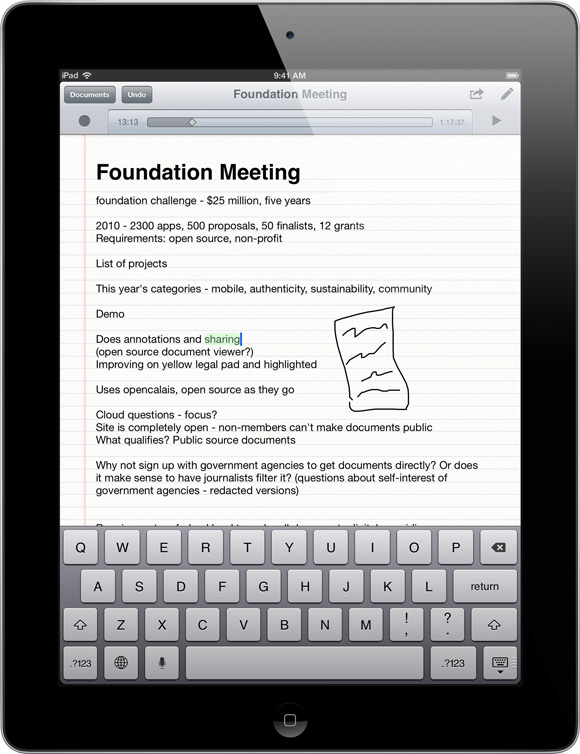
SoundNote tracks what you type and draw while recording audio, so you'll never worry about missing an important detail.
While playing back your recording, just tap a word; SoundNote will jump right to that point in the audio.
SoundNote is perfect for students. If you ever fall asleep in class, don't worry — SoundNote's got your back. Just tap what you wrote while you were awake, and SoundNote will play the audio to help you fill in the blanks.
SoundNote is also great for journalists. Ever miss an important point during an interview and have to skim through your entire recording to find out what it was? With SoundNote, just tap a word from that part of the interview — it'll play back what you missed.
When you're done, share your text, drawings, and audio notes via email, or transfer them directly to your Mac or PC. Audio notes are recorded in standard M4A format: One hour of high quality audio is only 20MB.

Follow @soundnoteapp on Twitter.
Just want to open SoundNote documents on your Mac? Download the free SoundNote Reader.
Follow @soundnoteapp on Twitter.
Just want to open SoundNote documents on your Mac? Download the free SoundNote Reader.